
Landscaping Business Website Guide for More Local Leads
A practical guide to planning a landscaping business website that explains services, builds local trust, and turns visitors into quote requests.
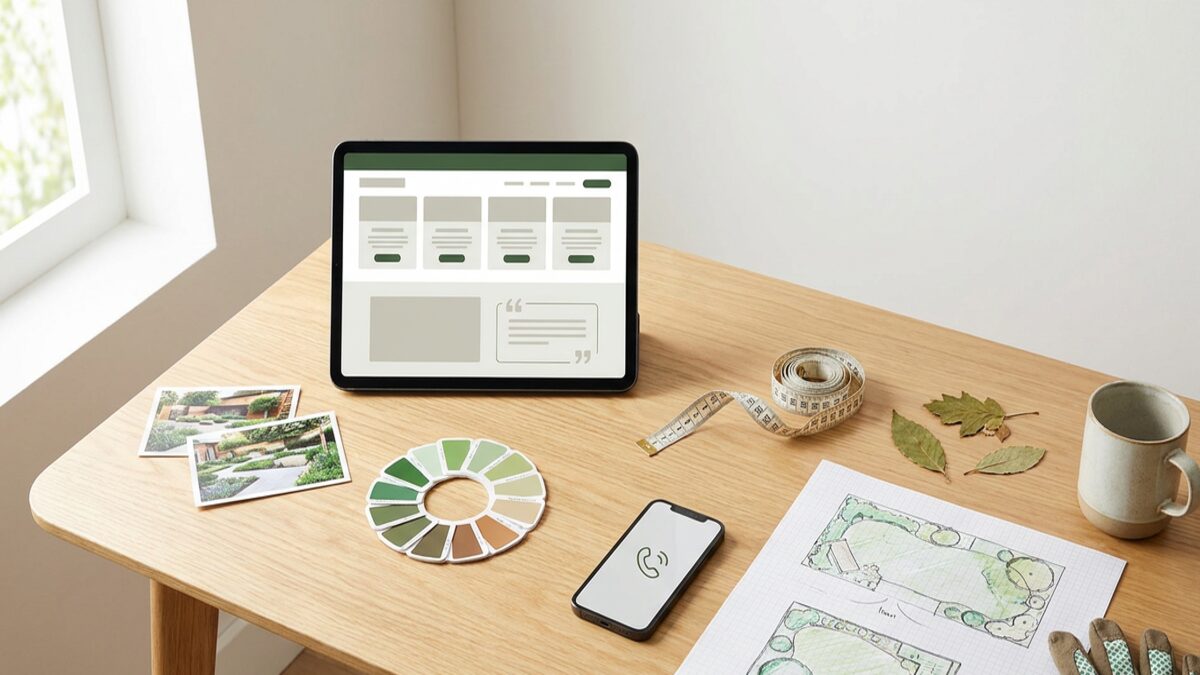
A landscaping business website has to make local buyers feel confident fast. Visitors may need lawn care, garden maintenance, hardscaping, seasonal cleanup, irrigation help, or a complete outdoor redesign. They want to know what you do, where you work, whether your projects look credible, and how to request a quote without chasing details.
That is why a good landscaping website is not just a gallery and a phone number. It should organize services clearly, support local discovery, prove trust, and help the right visitors become qualified leads.
This guide walks through the pages, photos, quote forms, local SEO basics, CMS needs, and launch choices that matter most for landscapers, lawn care companies, garden services, and outdoor contractors.
What should a landscaping business website do first?
Start by answering the practical questions a visitor has before they call.
The first screen should make four things obvious:
- The main services you offer.
- The city, neighborhood, or service area you cover.
- The type of customer you serve: residential, commercial, HOA, property manager, or all of these.
- The next step, such as requesting a quote or booking a site visit.
A headline like "Residential landscaping, lawn care, and seasonal cleanup in Raleigh" is more useful than "Outdoor spaces, beautifully done." It gives the visitor real context and helps search engines understand the page.
The homepage should also focus on one primary action. For most landscaping companies, that action is "Request a quote," "Schedule a walkthrough," or "Check availability." If phone calls matter, keep the phone number visible on mobile. If quotes depend on property details, make the form easy to start and clear about what happens next.
Brimky's [small business homepage checklist](https://brimky.com/en/blog/small-business-homepage-checklist) is a useful reference for deciding what belongs before a visitor scrolls. For a landscaping business, that usually means service type, location, visual proof, and a clear quote path.
Which pages should landscaping website design include?
Good landscaping website design separates the services people compare.
A practical site often includes:
- Homepage.
- Lawn care or maintenance page.
- Landscape design page.
- Hardscaping page if you offer patios, walkways, retaining walls, or outdoor living areas.
- Seasonal cleanup page.
- Mulching, planting, trimming, irrigation, or sod pages when those are core services.
- Commercial landscaping page when you serve offices, retail, HOAs, or property managers.
- Project gallery.
- Service area pages for important towns or neighborhoods.
- About page.
- Reviews or testimonials.
- FAQ.
- Quote request or contact page.
- Privacy and policy pages appropriate to the business.
Not every landscaping company needs every page on day one. A solo lawn care operator may need a focused five-page site. A full-service landscape design and maintenance company may need separate pages because design projects, recurring maintenance, and hardscaping attract different buyers.
The goal is not to create pages just to make the site larger. Each page should help a real visitor decide if you are a fit. A hardscaping page can explain materials, project types, drainage considerations, permits when relevant, and site visit expectations. A lawn care page can explain recurring mowing, edging, trimming, seasonal cleanup, and service frequency.
Specific pages also make updates easier. If you add spring cleanup, pause snow removal, change service areas, or promote a new design package, you should not need to rewrite the whole homepage.
How can project photos build trust without slowing the site?
Landscaping is visual, so photos matter. But the best gallery is not always the largest gallery.
Visitors want to see whether your work matches their property, budget, and taste. A small set of strong, well-labeled photos can do more than dozens of oversized images. Show before-and-after examples when you have permission. Include finished patios, beds, edging, planting, lawns, commercial grounds, or seasonal cleanup work that reflects the services you actually sell.
Useful project proof includes:
- Clear project photos with permission.
- Short captions that name the service and setting.
- Before-and-after pairs for transformations.
- Testimonials near relevant services.
- A short explanation of project scope when useful.
- Real service areas and property types.
- Honest notes about what is included and what is not.
Avoid using only generic stock images. They may look polished, but they do not prove that your team can handle local properties, weather, soil, slopes, drainage, access, or maintenance expectations.
Image size matters too. Oversized photos can make a site feel slow, especially on mobile. Google's [SEO Starter Guide](https://developers.google.com/search/docs/fundamentals/seo-starter-guide) encourages descriptive, helpful page information. For landscaping, that includes natural image alt text such as "front yard landscape renovation with stone edging in Denver" instead of vague file names or stuffed keywords.
How should quote forms turn visitors into landscaping leads?
Quote forms should gather enough information to respond well without making the visitor feel like they are filling out a long application.
A useful landscaping quote form can ask for:
- Name.
- Email.
- Phone.
- Property address or service city.
- Residential or commercial property type.
- Service needed.
- Approximate property size or project area.
- Preferred timeline.
- Whether the request is one-time, seasonal, or recurring.
- Space for photos when helpful.
- Notes about access, drainage, pets, gates, HOA rules, or existing issues.
For lawn care, the form can stay short. For landscape design or hardscaping, it may need more detail so the team can decide whether to schedule a site visit. The key is to ask questions that help the next conversation, not questions that create friction.
W3C's [Labels or Instructions guidance](https://www.w3.org/WAI/WCAG21/Understanding/labels-or-instructions.html) explains that clear labels help people enter information correctly. That matters on a landscaping form because vague fields create vague leads. "What service do you need?" is clearer than "Project." "Tell us about access, gates, slope, drainage, or timing" is more useful than "Message."
After submission, say what happens next. A simple confirmation such as "We will review your request and reply to confirm fit, timing, and next steps" sets expectations without promising a response time your team may not always meet.
How can local landscaping SEO help you get found?
Local landscaping SEO starts with a clear website, not tricks.
Your site should make the real service, location, and customer fit easy to understand. That means naming your core services, writing useful page titles, explaining your service area, and connecting related pages with internal links.
Useful local SEO basics include:
- A homepage that names the landscaping service and main city or service area.
- Dedicated pages for important services.
- Service area pages only where you can add useful local detail.
- Descriptive title tags and meta descriptions.
- Internal links between service pages, location pages, FAQs, galleries, and quote forms.
- Reviews or testimonials near relevant services.
- Natural image alt text.
- Fast mobile pages.
- A contact page with consistent business name, phone number, hours, and service-area details.
Google's [Business Profile page](https://business.google.com/en-all/business-profile/) explains how eligible businesses can appear on Search and Maps with profile details, photos, services, and other information. Landscaping companies should keep the website and profile consistent: same business name, phone number, service categories, service area, hours, and core offers.
Be careful with service area pages. A page for "landscaping in Plano" should include real local relevance: neighborhoods served, common property types, seasonal notes, project examples when available, and a clear quote path. Thin pages that swap only the city name are unlikely to help visitors.
Brimky's guide to [service area pages for local businesses](https://brimky.com/en/blog/service-area-pages-local-businesses) explains how to make location pages useful instead of repetitive.
What should landscaping businesses update in a CMS?
Landscaping businesses change with the season.
You may add spring cleanup, update lawn care availability, pause planting work during extreme weather, promote fall leaf removal, add a new service area, publish project photos, or change minimum job requirements. A CMS should make those updates manageable without putting the whole site at risk.
A practical CMS should let you update:
- Service descriptions.
- Seasonal offers.
- Service areas.
- Project photos and captions.
- Reviews and testimonials.
- FAQs.
- Quote form routing.
- Contact details and hours.
- Blog posts or seasonal maintenance tips.
- SEO titles, meta descriptions, and image alt text.
The CMS should also protect the site from accidental damage. Owners should not have to edit code, resize every image manually, rebuild forms, manage plugins, or troubleshoot hosting just to update a service page.
This is where managed website support helps. The business owner controls the content that changes. The website partner handles hosting, CMS structure, forms, SSL, backups, performance, and support within the agreed scope.
What mistakes cost landscaping businesses leads?
Landscaping websites usually lose leads when they make visitors guess.
Common mistakes include:
- No city or service area in the first screen.
- One generic services page for every offer.
- A gallery with no captions or service context.
- No clear quote button on mobile.
- Forms that ask too much too early.
- No reviews, project examples, or proof.
- Unsupported claims about licensing, guarantees, or awards.
- Thin service area pages with duplicated wording.
- Slow pages caused by oversized images.
- Old seasonal services, outdated hours, or broken phone links.
- No CMS plan for updates after launch.
The biggest mistake is hiding the answer to "Can this company help with my property?" A homeowner looking for lawn maintenance, a property manager looking for recurring grounds care, and a homeowner planning a patio are not comparing the same details.
Your pages and forms should route those needs clearly. A landscape design lead may need a consultation. A lawn care lead may need frequency and property size. A hardscaping lead may need a walkthrough and project scope. The website should make each path easy.
How can Brimky help launch a managed landscaping business website?
Brimky helps small businesses launch websites without coordinating a slow agency process or managing a technical stack alone.
For a landscaping company, that can mean starting from a proven website template or custom build, adapting the brand, organizing service pages, preparing project galleries, setting up quote forms, adding local SEO basics, and handling CMS, hosting, SSL, domain/DNS setup, updates, and support.
Brimky can also support add-ons when the business needs more: copywriting, service area pages, analytics and conversion tracking, Google Business Profile help, multilingual content, seasonal landing pages, or custom pages for hardscaping, commercial landscaping, lawn care, irrigation, and garden maintenance.
The practical benefit is coordination. Instead of asking a designer, host, CMS tool, form plugin, analytics setup, and DNS provider to work together, the landscaping business gets one managed website path.
Want the website handled while you focus on the work outside? Browse [Brimky managed website templates](https://brimky.com/en#templates) or contact Brimky to plan a managed landscaping website with service pages, quote forms, CMS, hosting, and setup support handled together.
FAQ
Does a landscaping business need separate pages for each service?
Yes, if those services attract different buyers or require different information. Lawn care, landscape design, hardscaping, irrigation, and seasonal cleanup often deserve separate pages because visitors compare them differently.
Should a landscaping website show prices online?
Some pricing guidance can help, even if exact quotes depend on the property. You can show starting points, minimum visits, package examples, or "custom quote" explanations so visitors know what to expect.
How many project photos should a landscaping website include?
Use enough photos to prove the services you sell, but keep them organized and optimized. A few strong, fast-loading project examples with captions are better than a large gallery that slows the site and lacks context.