
Contractor Website Checklist for Better Local Leads
A practical contractor website checklist for service pages, project proof, local trust, quote requests, mobile usability, CMS updates, and managed hosting.
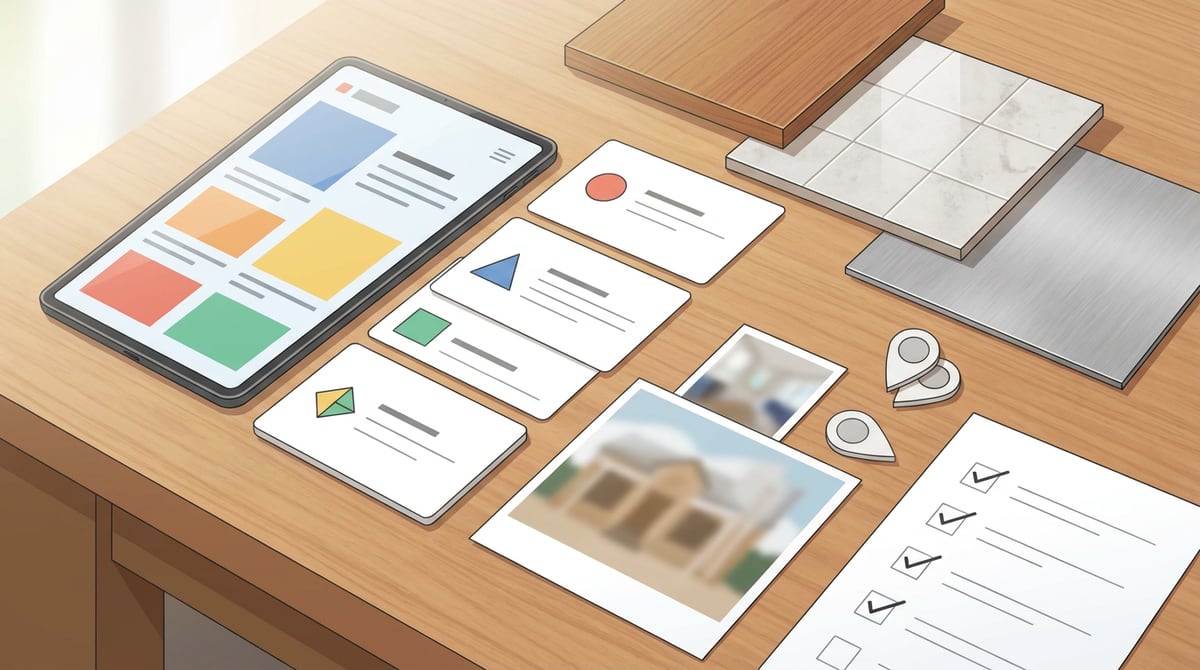
A contractor website checklist should help you turn a visitor's question into a clear next step: call, request a quote, book an estimate, or compare your work with another local contractor. For builders, remodelers, electricians, plumbers, roofers, landscapers, painters, and other home-service businesses, the website has a job to do before anyone speaks to you.
It must explain what you do, where you work, what kind of projects you take, why you can be trusted, and how a homeowner or property manager can start the conversation without guessing. This guide shows what to include, what to avoid, and how a managed website can keep the whole system easier to update.
What should a contractor website do first?
Start with the decision the visitor is trying to make.
Most contractor website design fails when the first screen is too vague. "Quality service you can trust" could belong to any trade in any city. A stronger first screen tells visitors the trade, service area, project type, and next step.
Useful homepage clarity looks like this:
- "Kitchen and bath remodeling in North Atlanta."
- "Emergency plumbing and water-heater replacement in Phoenix."
- "Licensed electrical contractor for homes and small commercial spaces."
- "Landscaping, drainage, and hardscaping for local homeowners."
The first screen should usually include:
- The main service category.
- The primary city, region, or service area.
- A short trust signal, such as licensed, insured, family-owned, or years in business when accurate.
- One primary call to action, such as "request a quote" or "schedule an estimate."
- A phone number or fast contact path on mobile.
The goal is not to impress everyone. The goal is to help the right prospect understand, in a few seconds, whether you handle their kind of work.
Which service pages should a home service website include?
A home service website should not force every visitor through one generic "Services" page. Separate service pages help people find the exact work they need and give search engines clearer context.
Use separate pages when a service has different search intent, pricing questions, photos, timelines, materials, permits, or qualification needs.
For example:
- A roofer may need pages for roof replacement, roof repair, storm damage, inspections, gutters, and commercial roofing.
- A remodeler may need pages for kitchen remodeling, bathroom remodeling, basement finishing, additions, and whole-home renovation.
- An electrician may need pages for panel upgrades, EV charger installation, lighting, troubleshooting, and commercial service.
- A landscaper may need pages for maintenance, drainage, hardscaping, planting, irrigation, and seasonal cleanup.
Each page should answer the questions a buyer would ask before calling:
- What problem does this service solve?
- What types of properties or projects are a good fit?
- What does the process usually look like?
- What affects cost, timing, or scope?
- What should the customer prepare before requesting a quote?
- What is the next step?
This also keeps updates manageable. If your team adds EV charger work, stops offering small repair calls, or changes estimate requirements, the CMS should let you update the affected page without rebuilding the website.
How do project photos help contractor lead generation websites?
Project proof is often the strongest conversion asset on a contractor lead generation website.
Homeowners do not only want to know that you offer the service. They want to see whether your work matches the quality, style, and scale they need. A project gallery helps them picture the result and gives your sales team a better starting point.
A useful project gallery should include:
- Clear before-and-after photos when appropriate.
- Short project descriptions.
- The service type.
- The city or general area, if you can share it.
- Materials, scope, or constraints that matter.
- A link to the related service page.
- A quote request path near the gallery.
Avoid uploading a random pile of photos with no context. A homeowner looking at a deck rebuild, bathroom remodel, or drainage correction wants to understand what changed. Short captions are enough.
Also avoid using photos you cannot legally use. If the project includes a client's private home, get permission before publishing identifiable images. If you use testimonials with project photos, keep them honest and not misleading. The [FTC's endorsement guidance](https://www.ftc.gov/business-guidance/resources/ftcs-endorsement-guides-what-people-are-asking) centers on a simple principle: endorsements should reflect honest opinions and should not mislead buyers.
What local SEO details should contractor websites include?
Local SEO starts with consistency and usefulness, not tricks.
Your website should make your location and service area clear. [Google Business Profile guidelines](https://support.google.com/business/answer/3038177?hl=en) ask businesses to represent themselves accurately, and [Google's SEO Starter Guide](https://developers.google.com/search/docs/fundamentals/seo-starter-guide) emphasizes helpful content that people and search engines can understand. For contractors, that means your website should match the real business.
Check these basics:
- Business name, phone number, and address or service-area language.
- Cities, counties, neighborhoods, or regions served.
- License numbers where they are relevant and appropriate to publish.
- Hours, emergency availability, or response expectations.
- Services that match what you actually provide.
- Links between service pages and service-area pages.
- A Google Business Profile that uses the same core business information.
If you serve multiple cities, build useful local pages only when you can make them specific. A good local page may include work examples from the area, common property types, service constraints, travel notes, local permit considerations, and relevant FAQs.
Do not publish dozens of thin city pages that swap only the place name. Brimky's guide to [service area pages for local businesses](https://brimky.com/en/blog/service-area-pages-local-businesses) explains how to keep local pages useful instead of turning them into duplicate filler.
What should a contractor quote form ask?
A contractor quote form should collect enough detail to route the inquiry without making the prospect do your estimating work.
Good forms are short, clear, and easy to complete on a phone. [W3C guidance on labels and instructions](https://www.w3.org/WAI/WCAG21/Understanding/labels-or-instructions.html) explains that clear labels and instructions help users enter information correctly and avoid avoidable form errors. That matters when a homeowner is standing in a basement, driveway, or jobsite trying to send a request quickly.
A practical quote form can ask for:
- Name.
- Email and phone.
- Property address or service city.
- Service needed.
- Project timeline.
- A short description of the issue or goal.
- Whether photos can be shared.
- Preferred contact method.
Use optional photo upload only when your team can handle it responsibly. For some contractors, photos speed up triage. For others, they create messy inboxes and unclear expectations. If uploads are available, explain what kind of photos help: wide shot, close-up, model plate, damage area, or measurements if safe.
The form confirmation should say what happens next. For example: "We review requests during business hours and reply with next steps for an estimate." Avoid promising exact response times unless the business is staffed to meet them.
How should trust signals appear on a contractor website?
Trust signals work best near the decision point.
Do not hide every credential on an about page. Put relevant proof beside the services and quote paths where visitors are deciding whether to contact you.
Useful trust signals include:
- License and insurance language, when accurate.
- Real team, truck, workshop, or project photos.
- Review excerpts with source context.
- Certifications, manufacturer partnerships, or training, when relevant.
- Warranty or workmanship language reviewed by the business.
- Associations or local memberships.
- Safety process notes for higher-risk work.
- A clear privacy or contact-form note.
Be careful with claims. "Best contractor in town" is weaker than specific proof. "Licensed electrical contractor serving residential panel upgrades since 2014" is more credible if true. "Over 200 local bathroom remodels completed" can be strong if the number is real and current.
A managed website partner can help organize the proof, but the business should verify every license, warranty, testimonial, and project claim before launch.
What should be checked on mobile before launch?
Many contractor visitors are on phones. They may be in a driveway, on a lunch break, dealing with an urgent repair, or comparing options from a search result.
Before launch, test the website on mobile for the actions that matter:
- The first screen says what you do and where you work.
- Tap-to-call works.
- Quote buttons are visible without crowding the screen.
- Forms are easy to complete.
- Photo galleries load quickly and do not trap the user.
- Service pages have short sections, not giant text blocks.
- Navigation does not bury key services.
- Address, hours, and service-area information are easy to find.
- Confirmation messages are readable.
Mobile testing should include real devices when possible. A desktop preview is useful, but it does not show how a busy homeowner will use the site with one hand.
How does Brimky keep a contractor website easier to manage?
Contractor websites change. Crews add services. Seasonal demand shifts. Photos pile up. A new city becomes important. Quote language changes. A supplier relationship or certification needs to be added. A phone number, service area, or emergency policy changes.
That is why a CMS and managed support matter.
Brimky builds managed websites for small businesses using proven templates or custom builds, with CMS, hosting, SSL, domain and DNS setup, forms, local SEO options, analytics, and support handled together. You do not have to stitch together a template, hosting account, plugins, form tool, image workflow, and technical maintenance by yourself.
For a contractor website, Brimky can help structure:
- Service pages.
- Project galleries.
- Quote request forms.
- Location or service-area pages.
- Mobile call paths.
- SEO titles and descriptions.
- CMS-editable content sections.
- Managed hosting and launch setup.
Browse [Brimky managed website templates](https://brimky.com/en#templates) or [contact Brimky](https://brimky.com/en/contact) to plan a contractor website with service pages, project proof, CMS, hosting, and quote-request setup handled in one managed build.
What is the launch checklist for a contractor website?
Use this checklist before the site goes live:
- Homepage states trade, service area, and next step clearly.
- Core services have dedicated pages.
- Project gallery includes context, not only images.
- Quote form asks only useful first-step questions.
- Tap-to-call and form submissions are tested.
- Mobile layout is checked on real devices.
- Name, phone, address, and service-area details match local listings.
- Reviews and testimonials are accurate and permitted.
- Page titles, meta descriptions, and headings are written for each core page.
- Service pages link to related service-area pages.
- Images are compressed and have descriptive alt text.
- Analytics and Search Console are connected if included in the scope.
- CMS access is limited to safe content updates.
- Hosting, SSL, DNS, forms, redirects, and backups have clear ownership.
The strongest contractor website is not the flashiest one. It is the one that helps the right local prospect understand the work, trust the business, and take the next step without friction.
FAQ
What should every contractor website include?
Every contractor website should include clear service pages, service-area information, project photos, trust signals, contact details, a quote request form, mobile-friendly call buttons, and a CMS or support path for updates.
How many service pages does a contractor website need?
Use a separate page for every service with distinct buyer questions, photos, pricing factors, or local search intent. Many contractors need five to ten core service pages before adding location pages or project guides.
Should contractors show project prices on their website?
It depends on the trade and project type. If exact prices vary too much, explain the cost factors instead: scope, materials, access, permits, urgency, property condition, and inspection needs.
Can Brimky build a contractor website from a template?
Yes. Brimky can adapt a proven small-business template for contractor services, project galleries, quote forms, service-area pages, CMS updates, hosting, and launch support. Custom builds are available when the template path is not the right fit.
Schema
Schema: { "@context": "https://schema.org", "@graph": [ { "@type": "Article", "headline": "Contractor Website Checklist for Better Local Leads", "description": "Use this contractor website checklist to plan service pages, project proof, quote forms, and local SEO. Ask Brimky to build, host, and manage it.", "author": { "@type": "Organization", "name": "Brimky" }, "publisher": { "@type": "Organization", "name": "Brimky" }, "mainEntityOfPage": "https://brimky.com/en/blog/contractor-website-checklist", "image": "https://brimky.com/uploads/2026-06-12-contractor-website-checklist.jpg", "datePublished": "2026-06-12", "dateModified": "2026-06-12" }, { "@type": "FAQPage", "mainEntity": [ { "@type": "Question", "name": "What should every contractor website include?", "acceptedAnswer": { "@type": "Answer", "text": "Every contractor website should include clear service pages, service-area information, project photos, trust signals, contact details, a quote request form, mobile-friendly call buttons, and a CMS or support path for updates." } }, { "@type": "Question", "name": "How many service pages does a contractor website need?", "acceptedAnswer": { "@type": "Answer", "text": "Use a separate page for every service with distinct buyer questions, photos, pricing factors, or local search intent. Many contractors need five to ten core service pages before adding location pages or project guides." } }, { "@type": "Question", "name": "Should contractors show project prices on their website?", "acceptedAnswer": { "@type": "Answer", "text": "It depends on the trade and project type. If exact prices vary too much, explain the cost factors instead: scope, materials, access, permits, urgency, property condition, and inspection needs." } }, { "@type": "Question", "name": "Can Brimky build a contractor website from a template?", "acceptedAnswer": { "@type": "Answer", "text": "Yes. Brimky can adapt a proven small-business template for contractor services, project galleries, quote forms, service-area pages, CMS updates, hosting, and launch support. Custom builds are available when the template path is not the right fit." } } ] } ] }